
The GoDAM Video SEO feature lets you add structured data (JSON-LD) for any video added via the GoDAM block, using Schema.org’s VideoObject format. This increases your video’s chances of appearing in Google rich results and video carousels, and improves visibility across search engines. Editors can set and customize SEO metadata directly in the WordPress block editor via a clean, user-friendly modal.
STEPS:
Step 1: Insert a GoDAM Video Block
Search for “GoDAM Video” from the block editor and add it to your post or page.
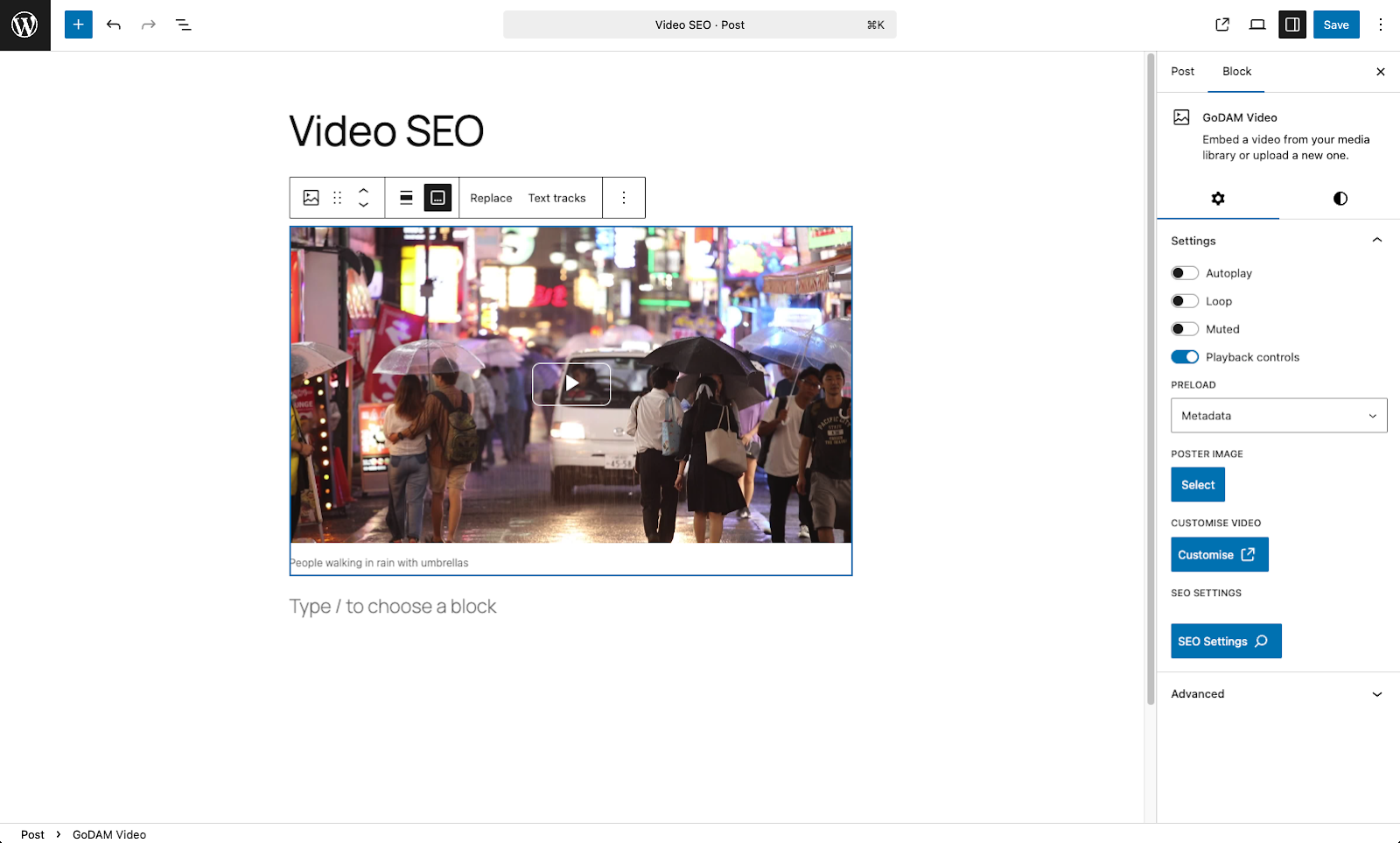
Step 2: Open SEO Settings
Click the SEO Settings button from the sidebar panel (Inspector Controls) of the selected block.

Step 3: Fill Out Metadata in the Modal
You’ll see the video schema in the GoDAM Video SEO settings modal with the following fields:
- Content URL
- Headline
- Description
- Upload Date
- Duration
- Video Thumbnail URL
- Is Family Friendly
Step 4: Save Changes
Click Save in the modal to store the SEO data. It will be saved in the block’s seo attribute and persisted with the post.
